Workspace
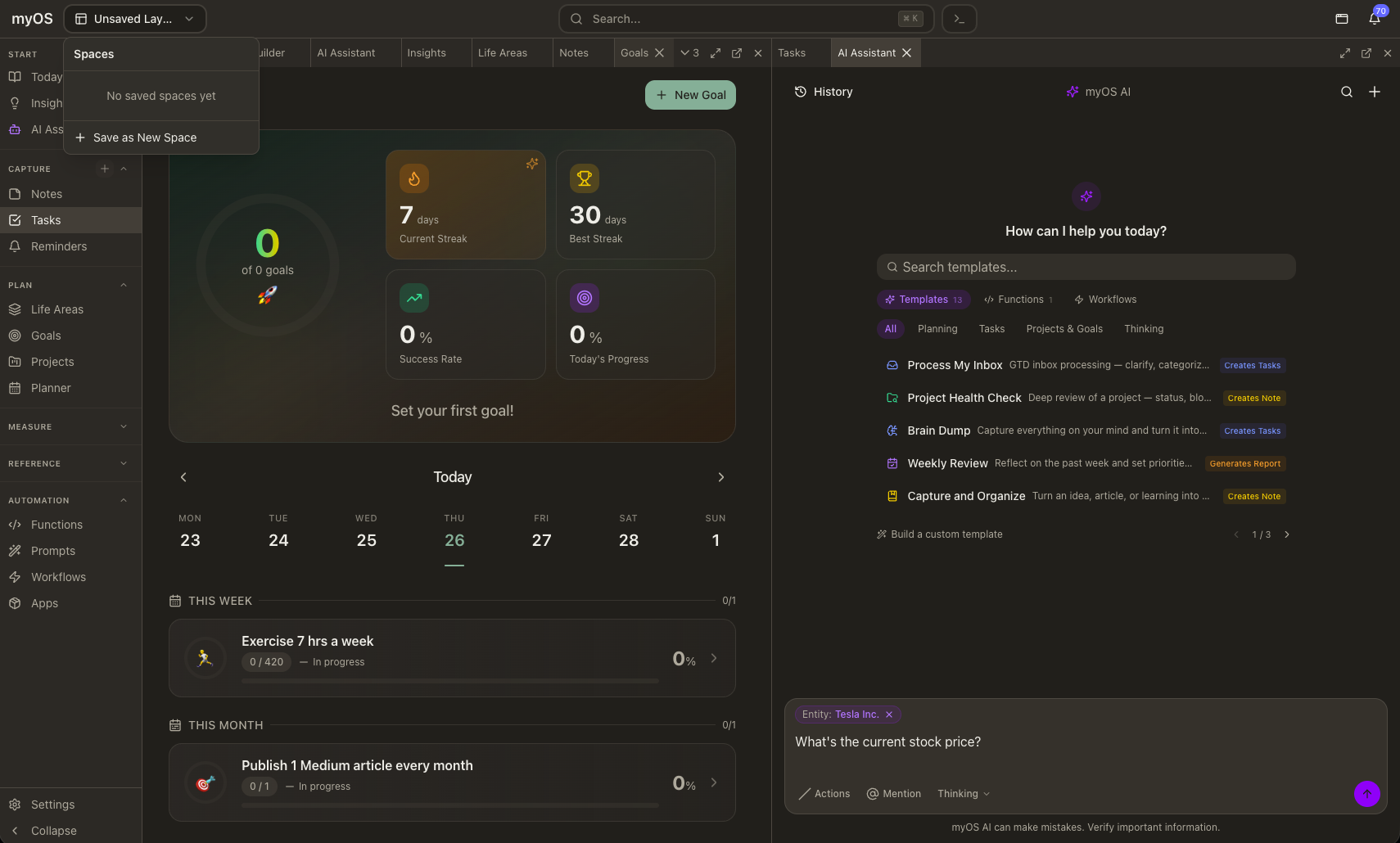
The workspace is the interface you use every day — a flexible, keyboard-driven environment where everything opens as a panel, panels arrange however you want, and saved layouts let you switch contexts instantly.
Start
Today
Your day at a glance
The default landing view. Shows your daily note, tasks due, goals in progress, scheduled events, and a pulse bar summarizing key metrics. It's the starting point for your day and updates as you work.
Pulse
How you're doing, at every level
A dashboard of your key life metrics — activity streaks, goal progress, measurement trends, and check-in patterns. Pulse gives you a high-level read on how things are going across your areas.
Insights
AI-generated observations
A feed of observations surfaced by your AI — patterns it noticed, things that need attention, suggestions based on your data. Updated proactively as your system runs in the background.
AI Chat
Your personal AI with full context
A conversational interface to your AI that has access to everything in your system — your tasks, goals, notes, calendar, metrics, and history. Ask questions, give instructions, or let it take action on your behalf. You can open multiple conversations side by side, each with its own context.
Core Interface
Flexible Layout
Open panels side by side, stack as tabs, split in any direction, drag to rearrange, and resize freely. Maximize any panel group to focus, or pop it out to a separate window for multi-monitor setups.
Spaces
Save your current panel arrangement as a Space — which panels are open, where they are, and what you were looking at. Switch between spaces instantly for different contexts like morning planning, deep work, or weekly review.
Smart Search
Cmd + KUnified search across every resource type. Start typing for instant results, or press Enter for a deeper AI-powered search that gives natural language answers with confidence indicators and follow-up suggestions.
Command Palette
Cmd + Shift + PAccess every action in the system — navigate panels, trigger workflows, format text, log a check-in. Fuzzy search, grouped by category, context-sensitive.
Quick Add
Cmd + Shift + ACapture a task, reminder, or note from anywhere without navigating away. A lightweight dialog appears, you type, and it's saved.
Keyboard Shortcuts
| Shortcut | Action |
|---|---|
| Cmd + K | Smart Search |
| Cmd + Shift + P | Command Palette |
| Cmd + Shift + A | Quick Add |
| Cmd + Shift + M | Maximize / restore panel |
| Cmd + Shift + O | Pop out panel to new window |
| Escape | Close dialog or exit maximized mode |
Designed for flow
The workspace is built around the idea that you shouldn't have to leave what you're doing to do something else. Smart Search finds anything without navigating. Quick Add captures without switching views. The Command Palette runs any action without hunting through menus. Panels open next to each other so you always have context alongside what you're working on.