Lists
Lists let you track and organize real-world things — books, movies, articles, podcasts, courses, people, and any other type you define. Each list type has its own schema, so everything is structured the way you want it.
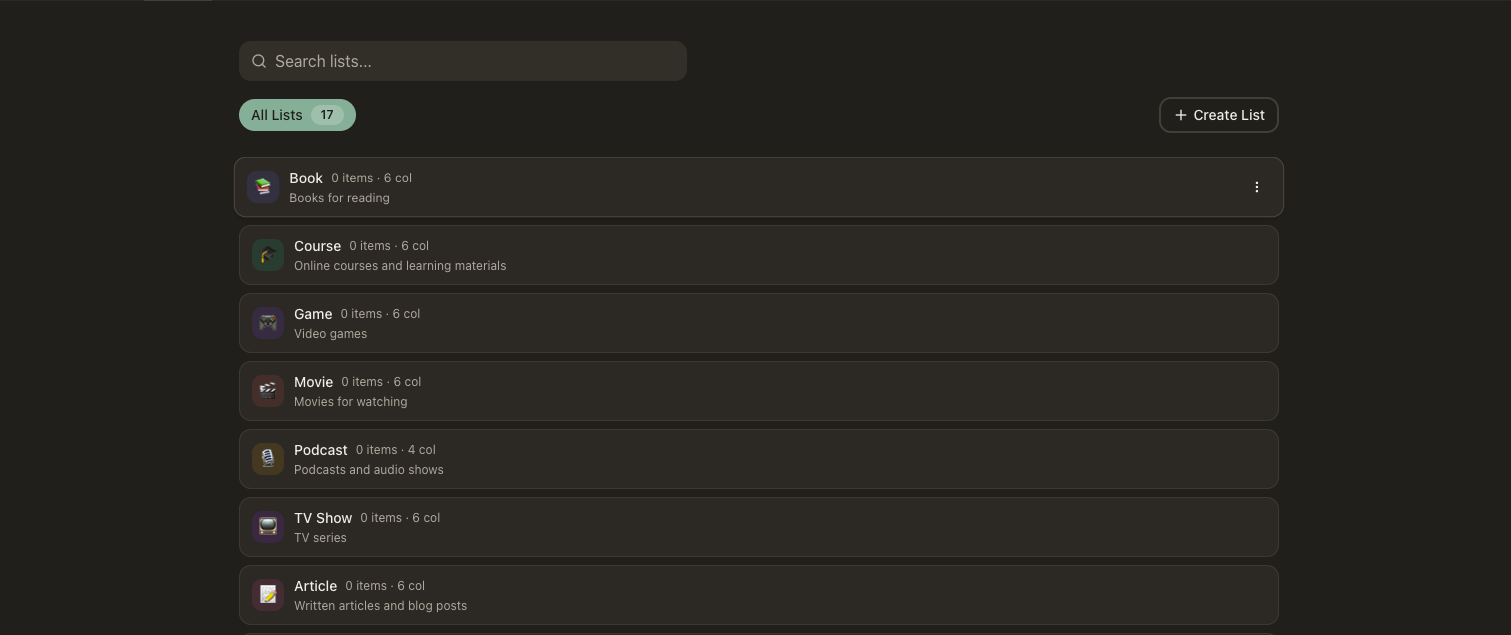
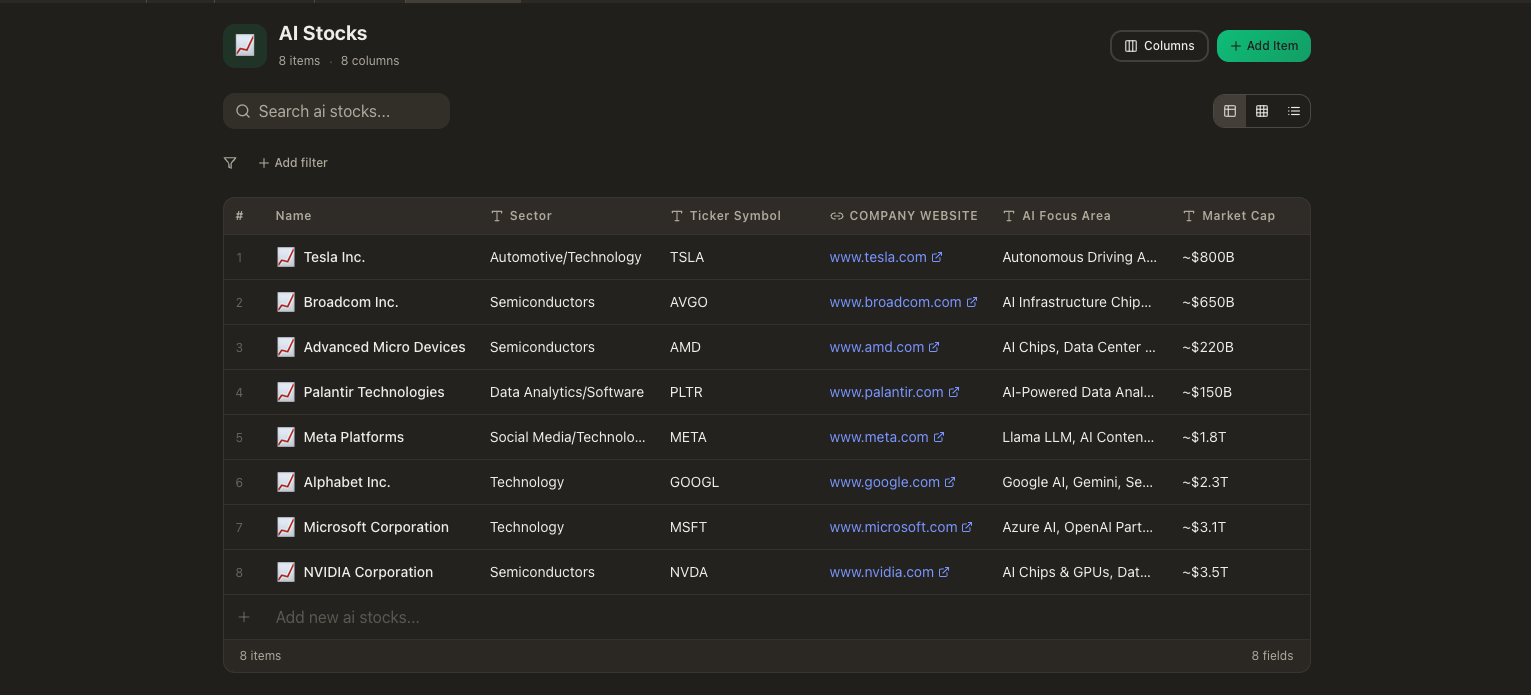
What you see
Your list types appear in a sidebar — click a type to browse its items in a list or grid layout. Each item displays its custom fields, tags, and rating at a glance. Select an item to open its detail view with the full set of fields, linked notes, and connected activities. Switch between types quickly and search across all your lists.
Key Features
Custom Types & Schemas
Define your own item types — books, movies, articles, podcasts, courses, people, or anything else. Each type has its own schema with custom fields, icons, and display settings tailored to what you're tracking.
Items Per Type
Add items under any type you've created. A book has an author and page count; a movie has a director and runtime. Each item stores the fields defined by its type, so everything is structured the way you want.
Tagging
Tag items for cross-cutting organization — genres, themes, priorities, or any grouping that makes sense to you. Tags work across all your resources, so list items show up in system-wide searches.
Ratings
Rate items to track your favorites and surface the best of your collection. Sort and filter by rating to quickly find top picks across any type.
Link to Activities
Connect list items to activities — link a book to a "reading" activity, a course to a "studying" session. This ties what you're consuming to how you spend your time.
Searchable
Search across all your list items by name, type, tag, or custom fields. Find that podcast episode or article you saved weeks ago without scrolling.
Connections
List items can be tagged for cross-cutting organization, linked to activities so your time tracking reflects what you're consuming, and linked to notes for reviews, summaries, or any thoughts you want to attach. Because tags and links work system-wide, list items show up wherever they're relevant — in search results, AI conversations, and related resource views.
Your personal catalog
Lists turn the things you consume and care about into structured, searchable data. Track what you're reading, watching, and learning — then let your AI reference it all when you need a recommendation or want to recall something you saved.